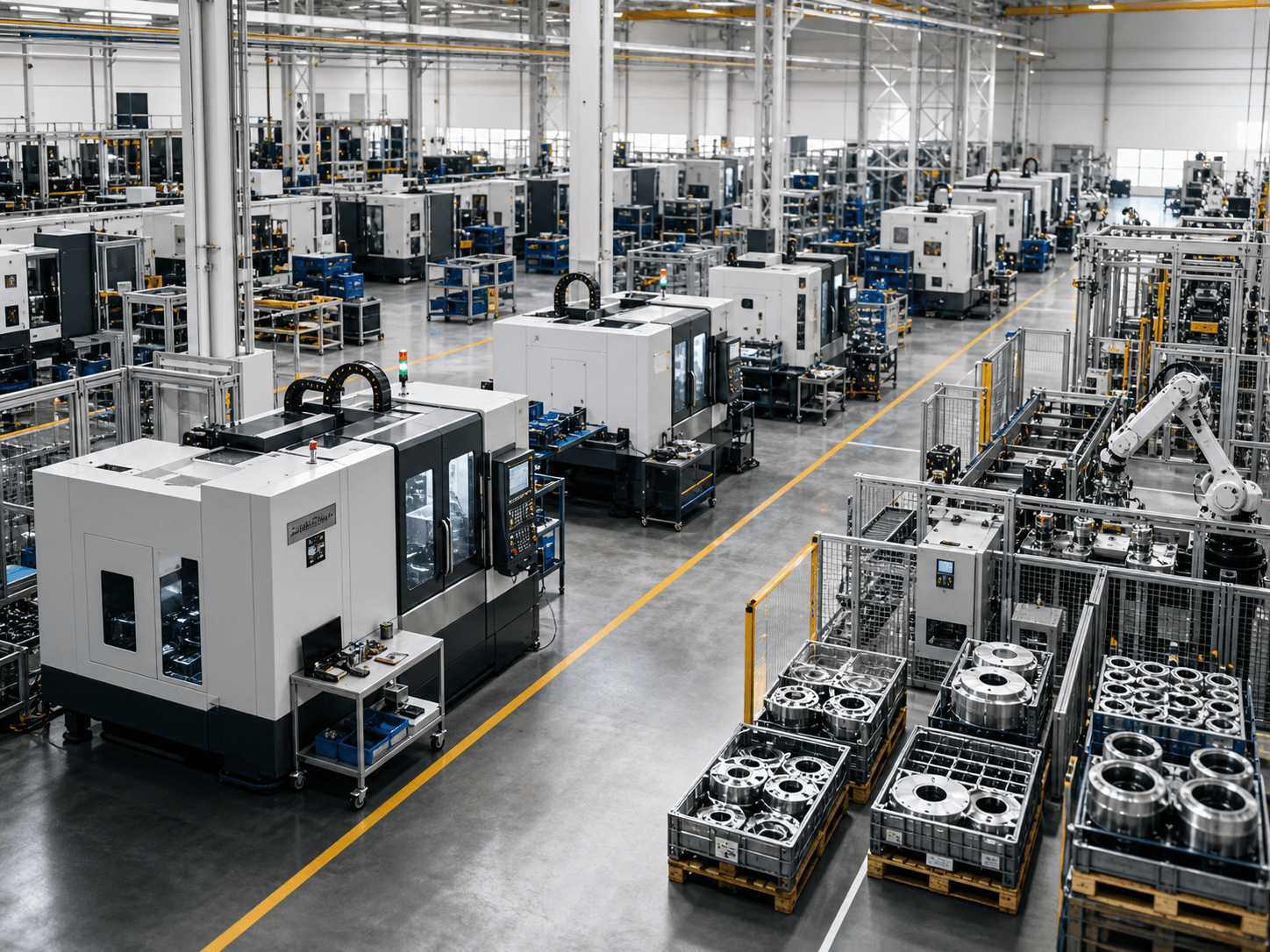
Industrial manufacturing
The AI Procurement Copilot
Connect Gmail or Microsoft 365 in 60 seconds. SalesNext reads your supplier threads, parses every quote, remembers every negotiation, and drafts your next move — or closes the routine RFQs entirely on its own.
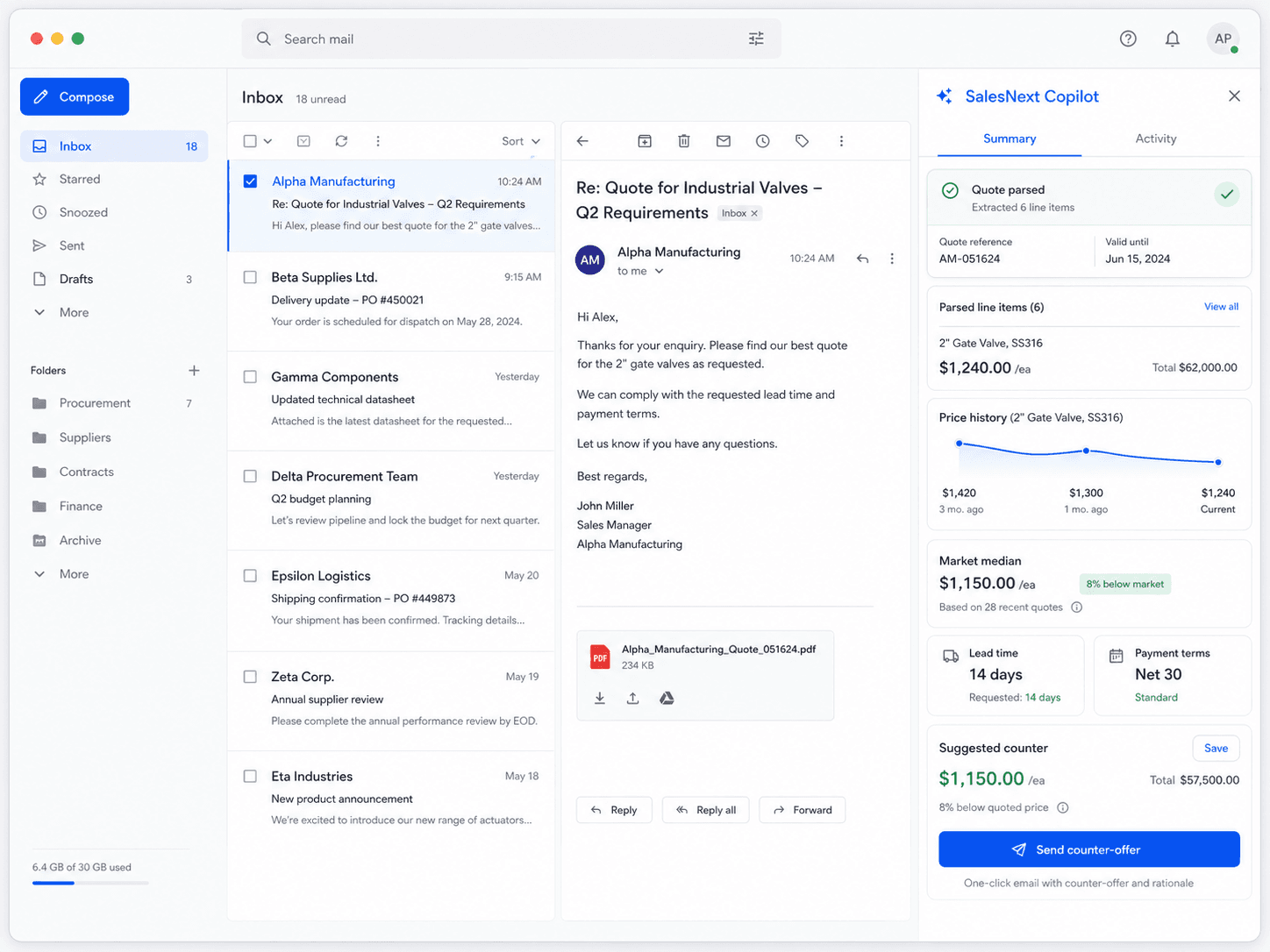
Industry coverage
From spec to supplier to award, SalesNext is shaped by the workflows of mid-market industrial buying — and tuned to the categories where the savings actually live.
Industrial manufacturing
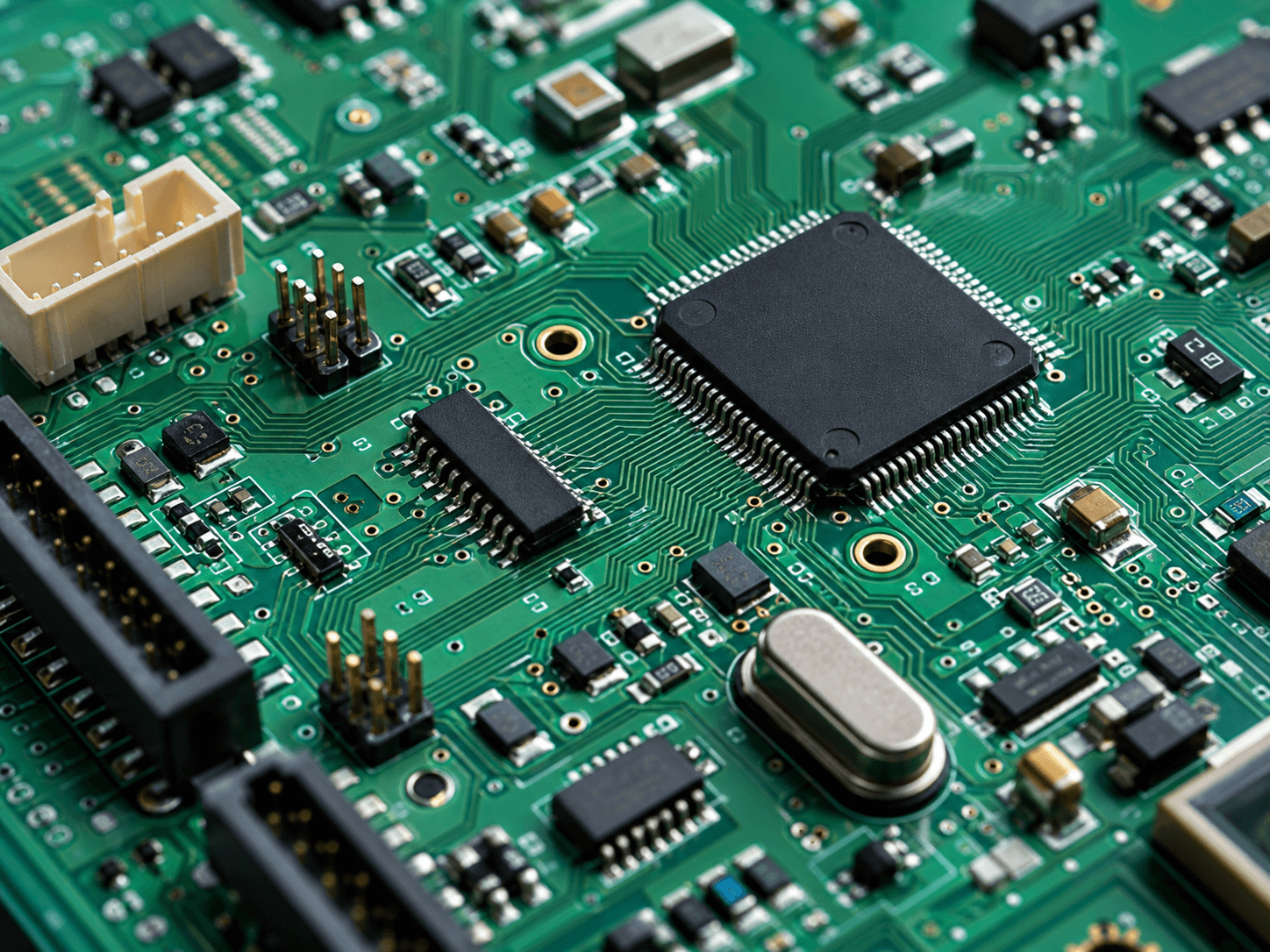
Electronics & components

Food & beverage

Construction & building supply

Industrial distribution

Automotive supply chain
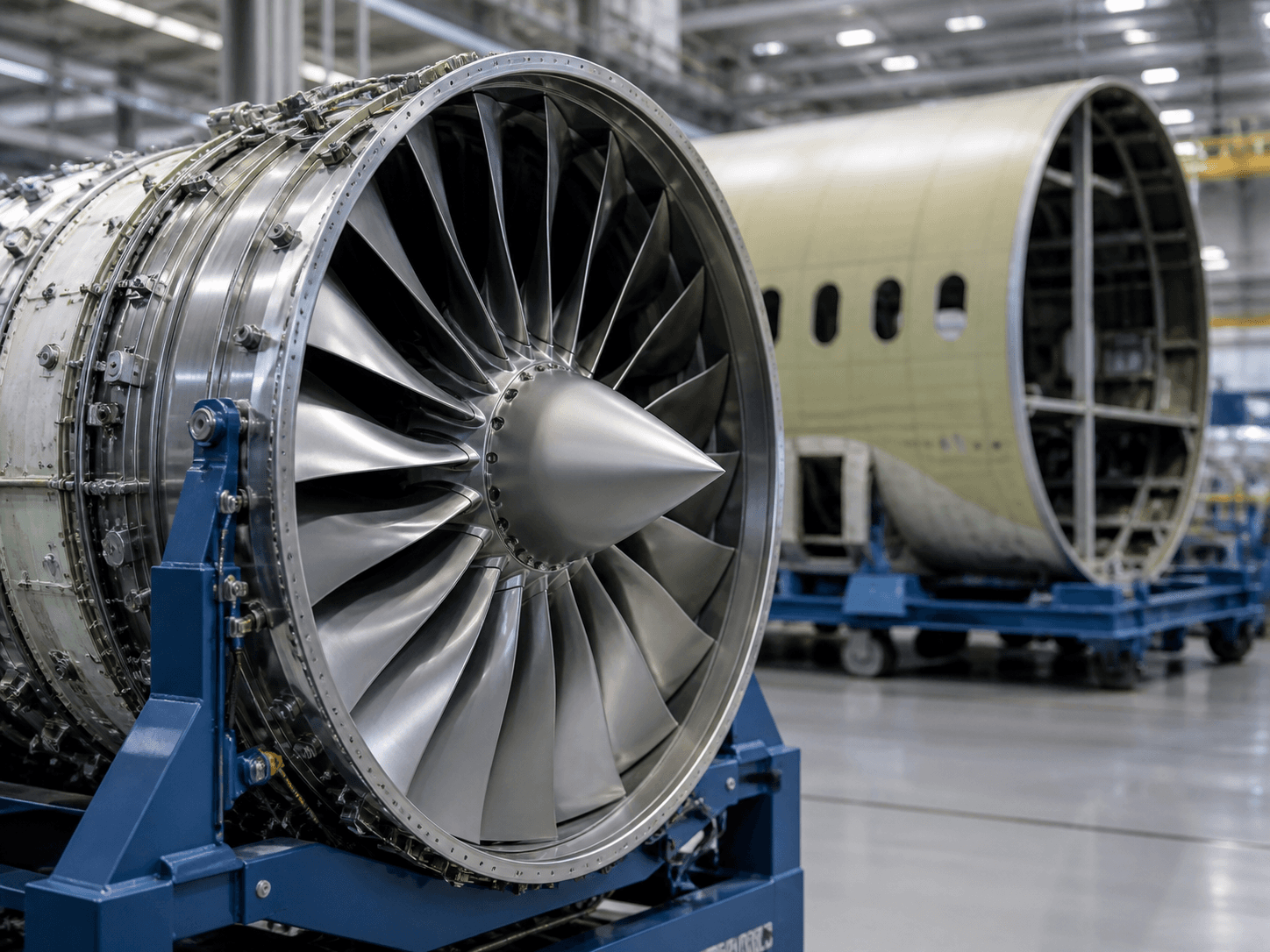
Aerospace & defense

Chemicals & materials

Metals & metalworking

Medical devices & life sciences

Energy & utilities
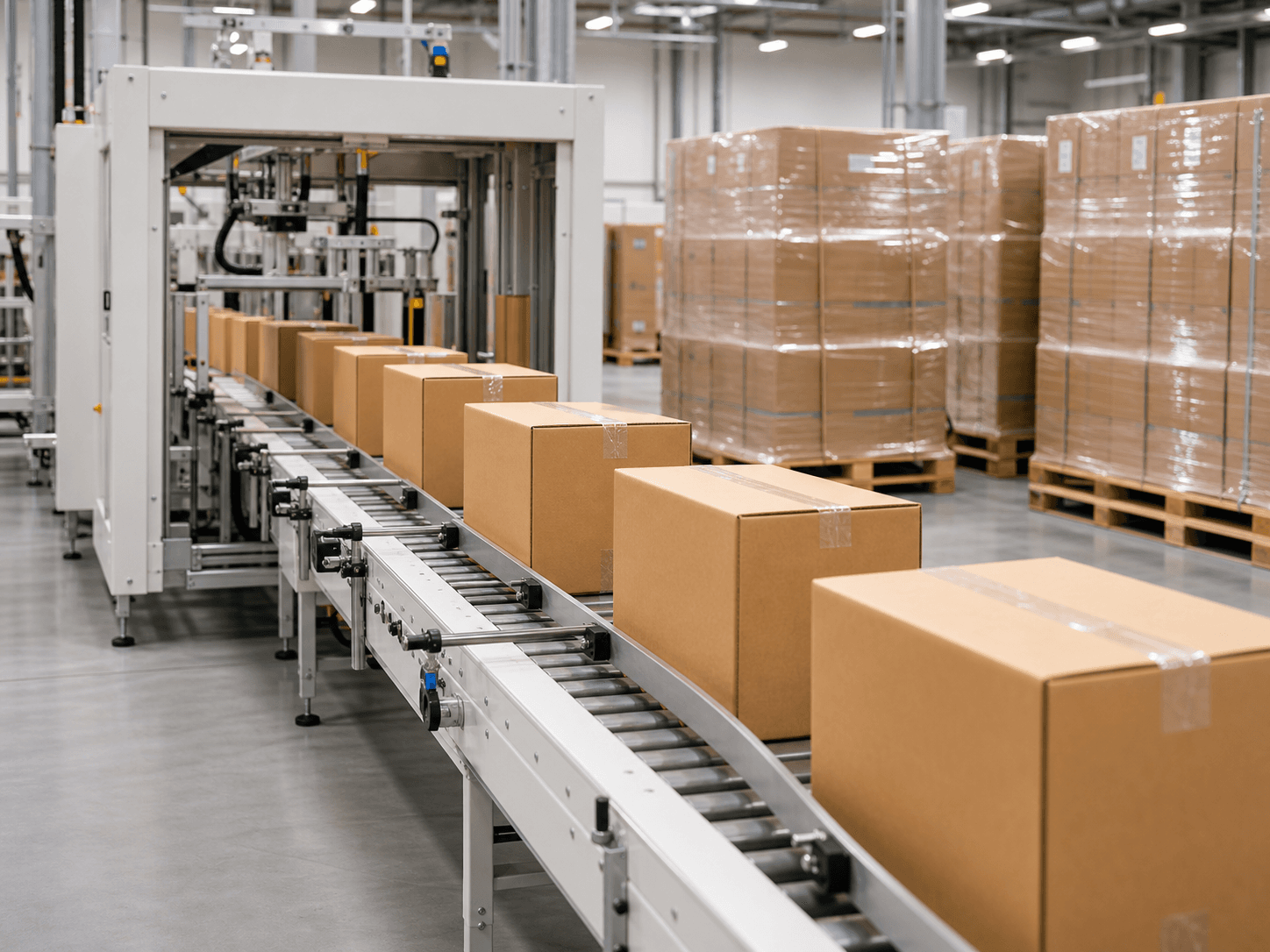
Packaging & plastics
The problem we set out to solve
If your buying team lives in their inbox, you already know what is missing.
Every quote, revision, supplier question, and award decision happens in email. Yet none of it is structured, none of it is searchable, and none of it is learning from itself. The data is there. It is just unreachable.
What did Acme charge last quarter? How quickly does Bearings Plus actually deliver? Which suppliers raised prices when no one was looking? The answers live in 14,000 emails nobody has time to read.
Legacy suites cost $250k and take six months. Autonomous bot platforms replace the buyer entirely. Spreadsheets cannot scale. Mid-market procurement has been waiting for software built for the way it actually works.
From inbox chaos to clean decisions
No integration project. No data migration. No supplier change. SalesNext meets your team where they already work.
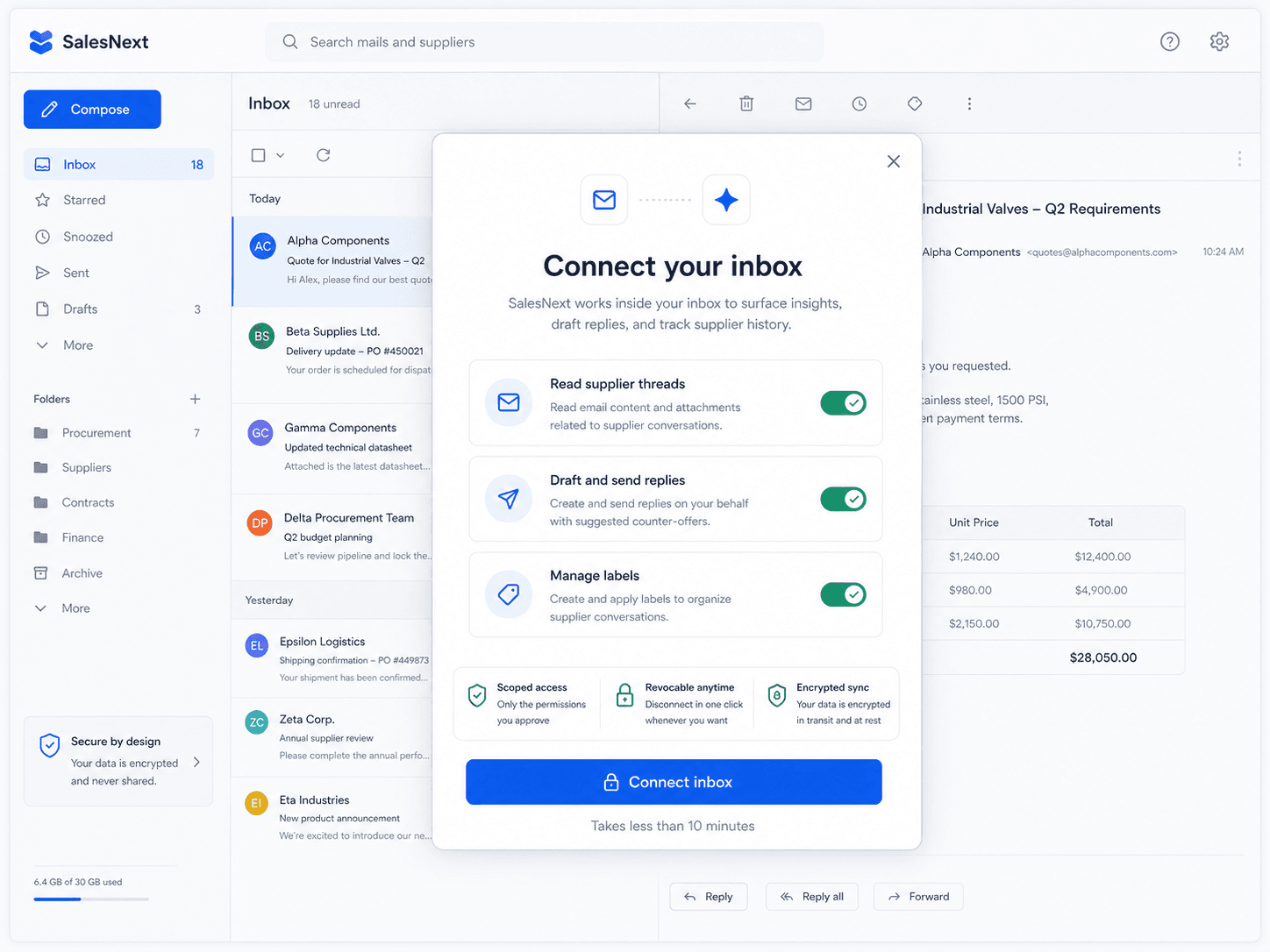
Step one
OAuth into Gmail or Microsoft 365 with scoped, revocable permissions. SalesNext begins backfilling your supplier history immediately — and the first searchable answers land before the coffee.
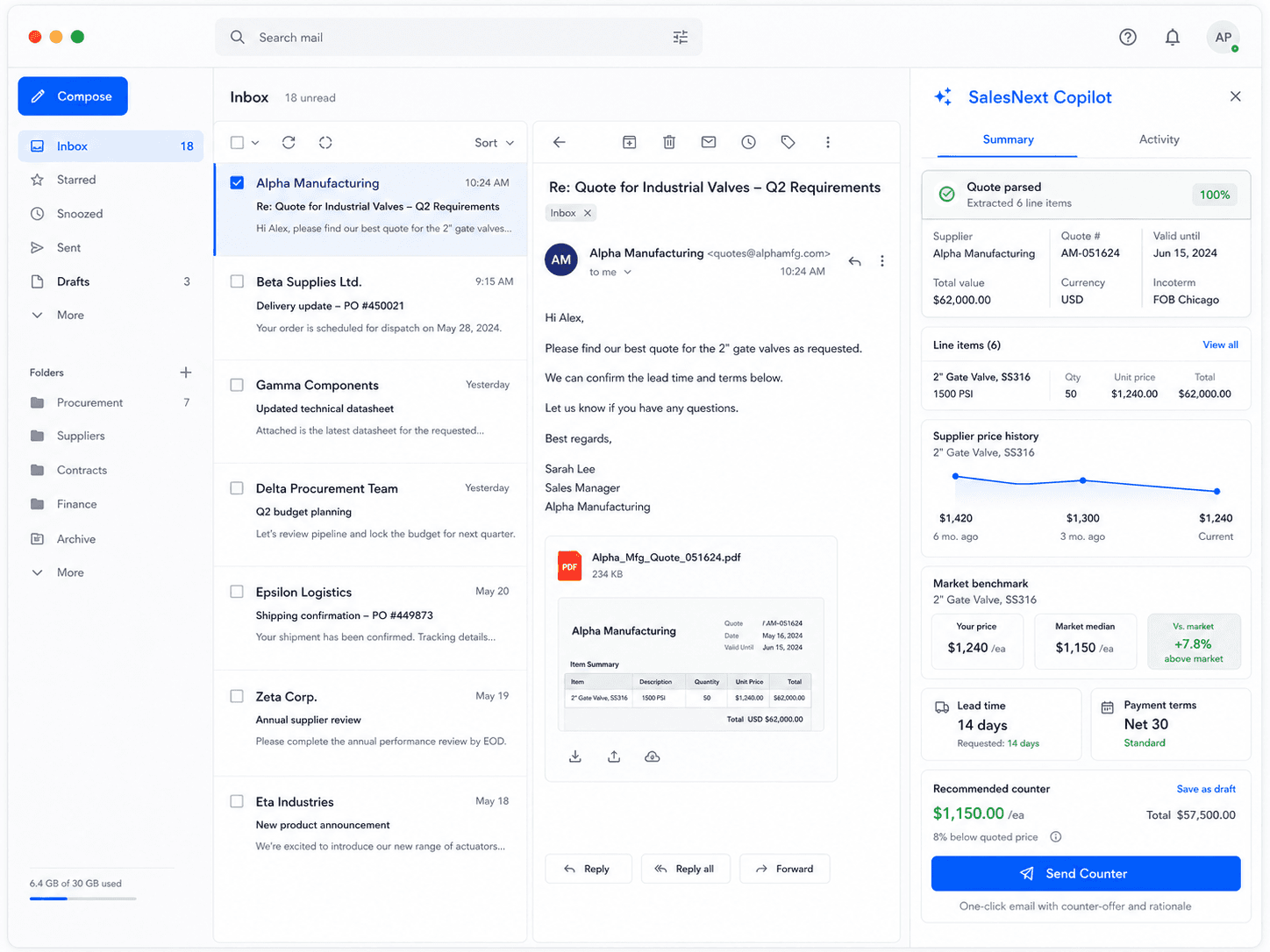
Step two
A sidebar appears in your inbox. Every supplier email becomes structured, every quote becomes a decision, every counter becomes a one-click action — without your team learning anything new.
What the product does
None of this asks your suppliers to change a thing. They keep emailing the way they always have. You stop doing the work that doesn’t need doing.
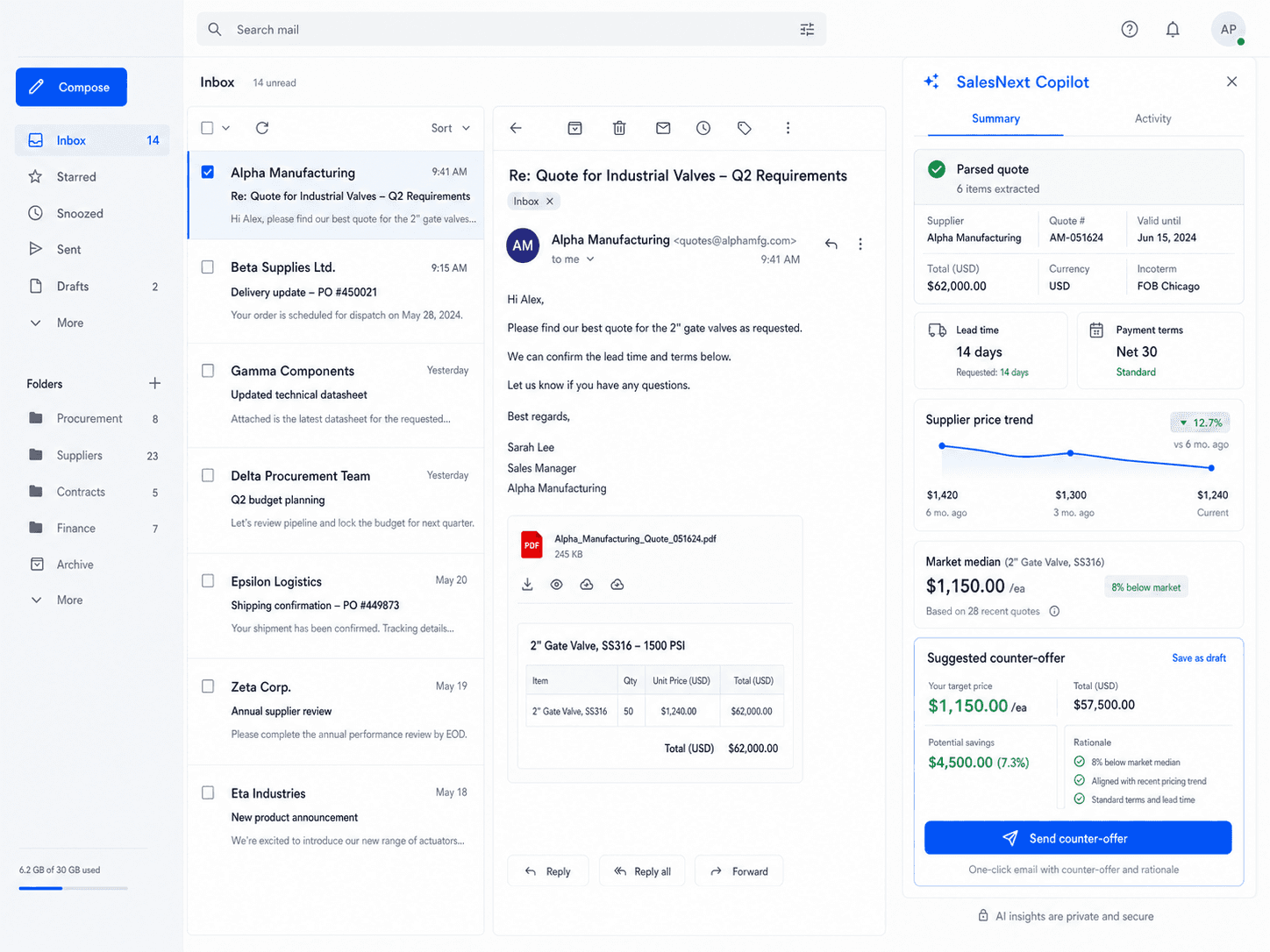
The Inbox Copilot
A clean sidebar lives next to your Gmail or Outlook. The moment a supplier replies, SalesNext parses the quote, pulls their last three quotes, surfaces your category median, and drafts a counter in your voice. You stay in the inbox you already use.
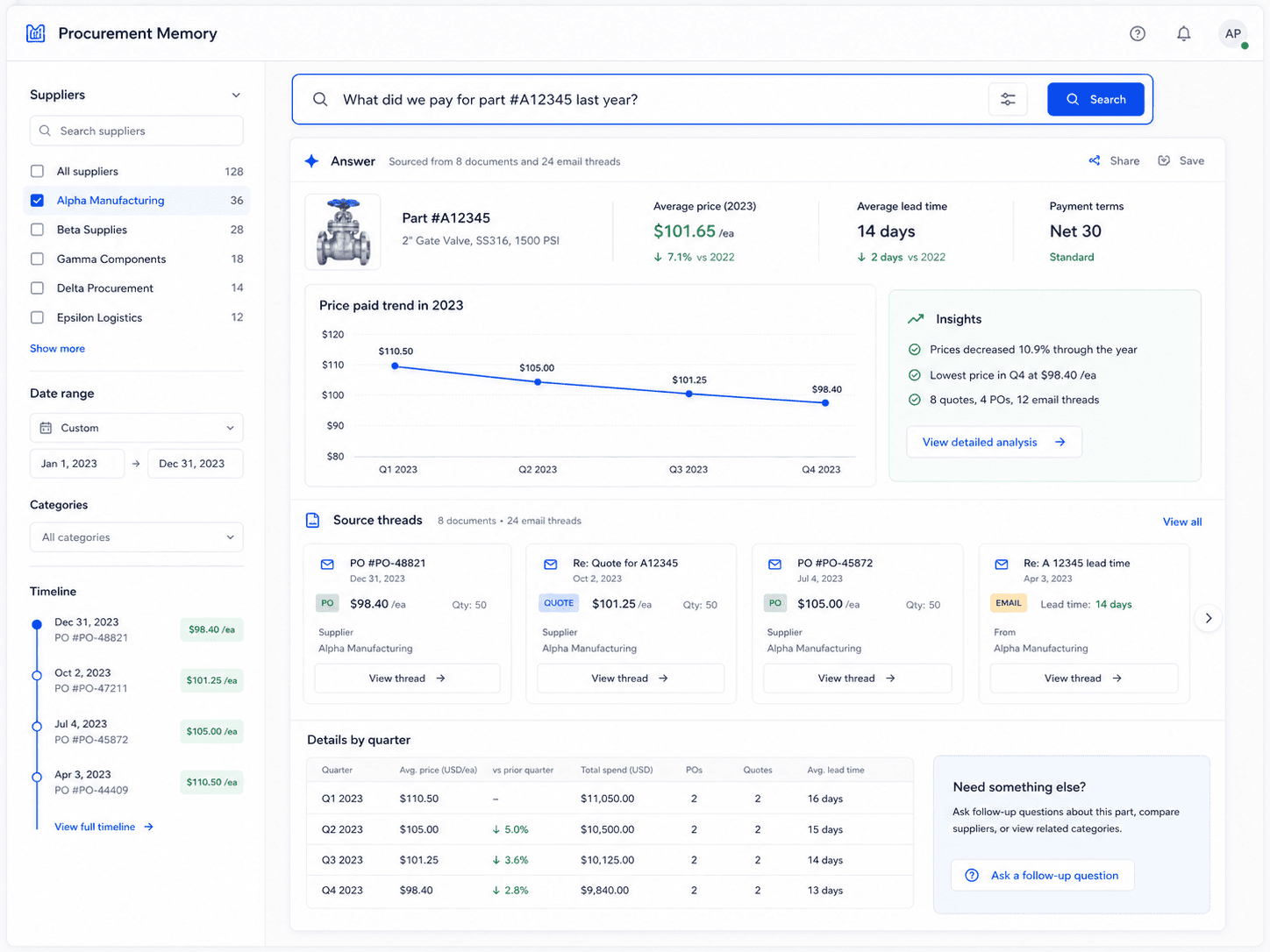
Procurement Memory
Ask in plain English. SalesNext indexes every supplier thread, every quote PDF, every revision, and every award decision. Searches resolve in milliseconds and return the structured answer — not a wall of email.
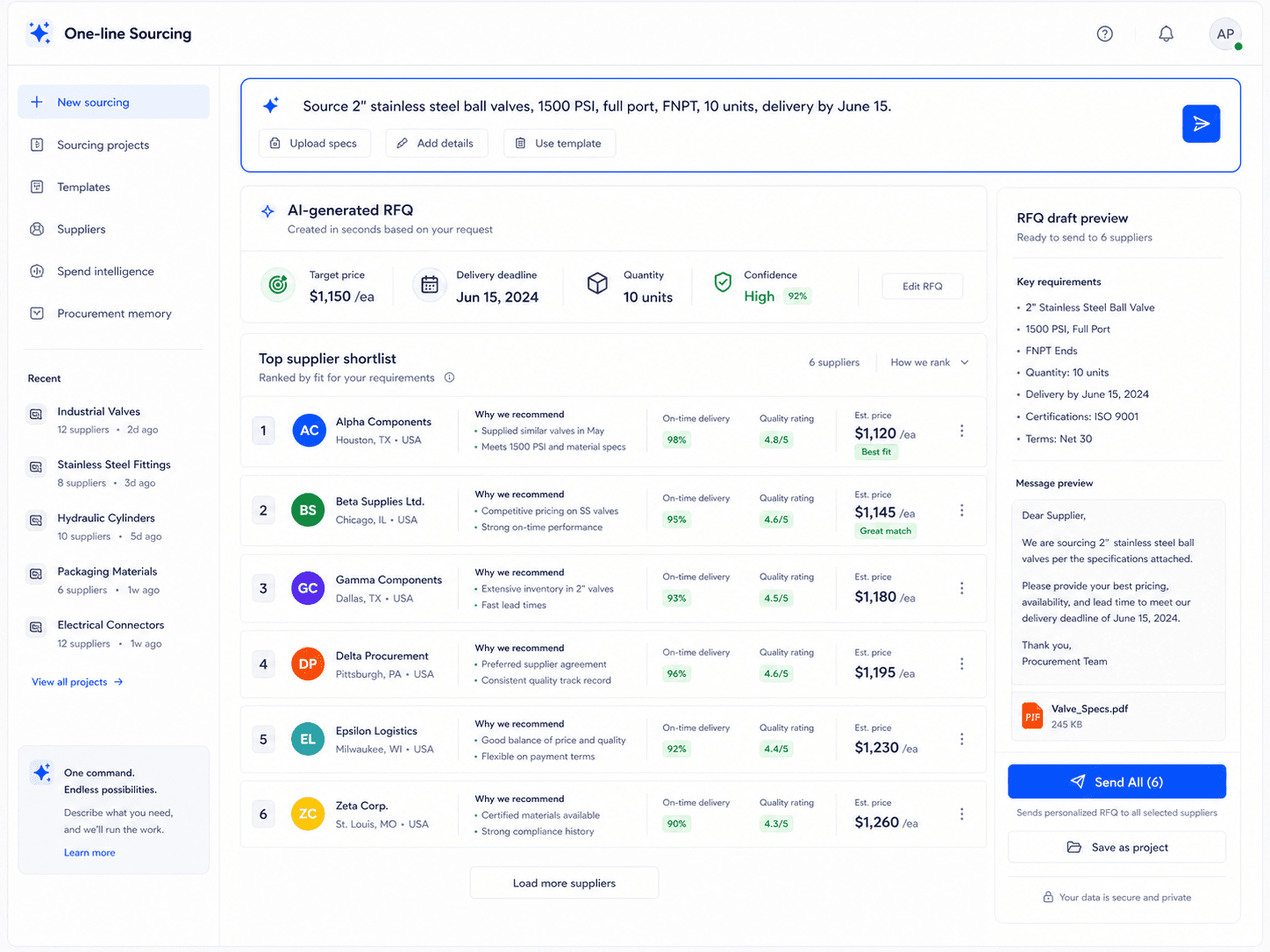
One-line Sourcing
Type a one-line instruction. SalesNext drafts the RFQ, picks the best-fit suppliers from your history, personalizes the outreach per supplier, and sends from your address. Six emails out the door in the time it took to type one.
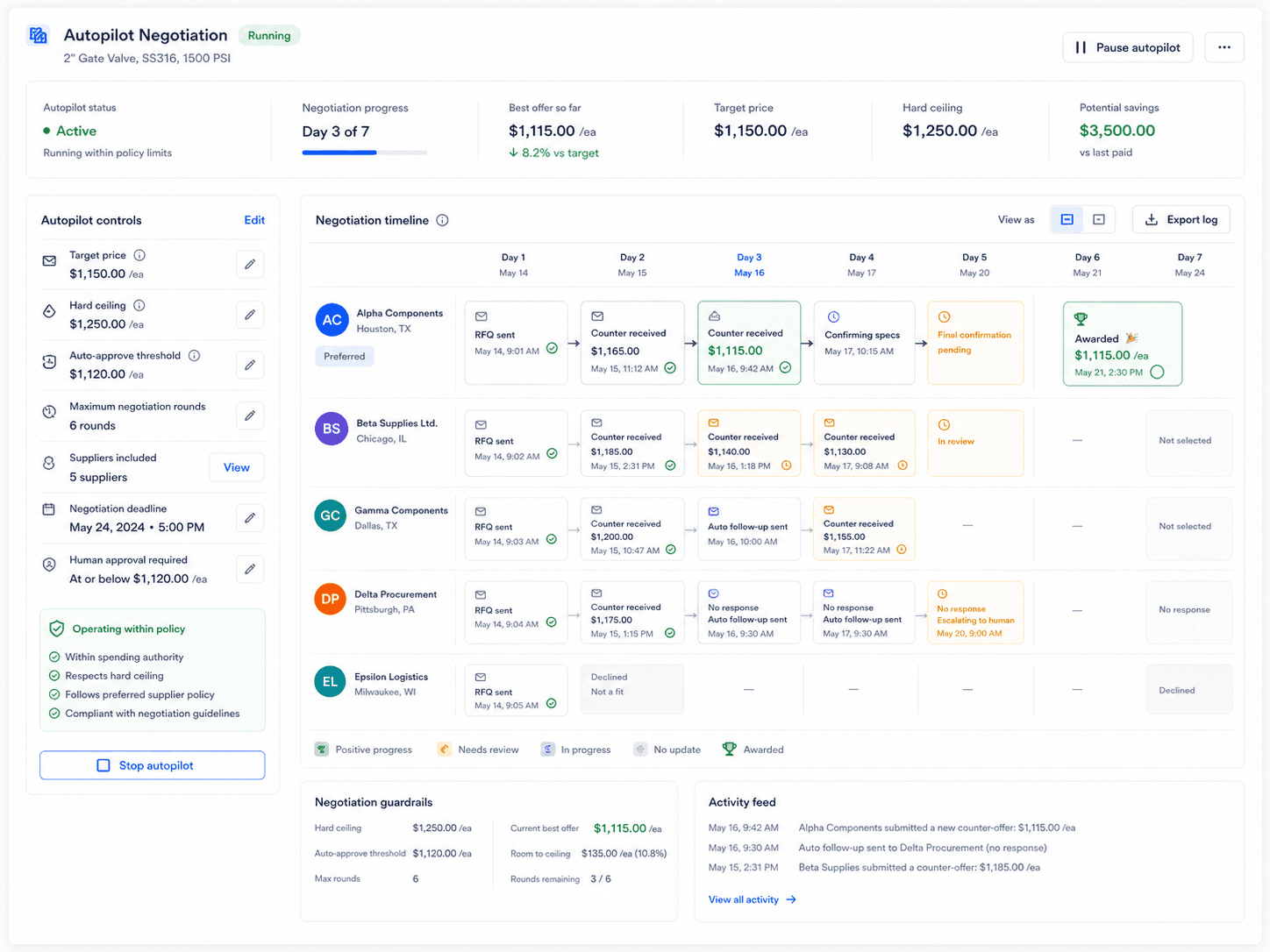
Autopilot
Set the bounds — target, ceiling, auto-approve threshold — and SalesNext negotiates round-by-round. Suppliers see normal email from your address. You see a clean summary in the morning. Every action is logged and reversible.
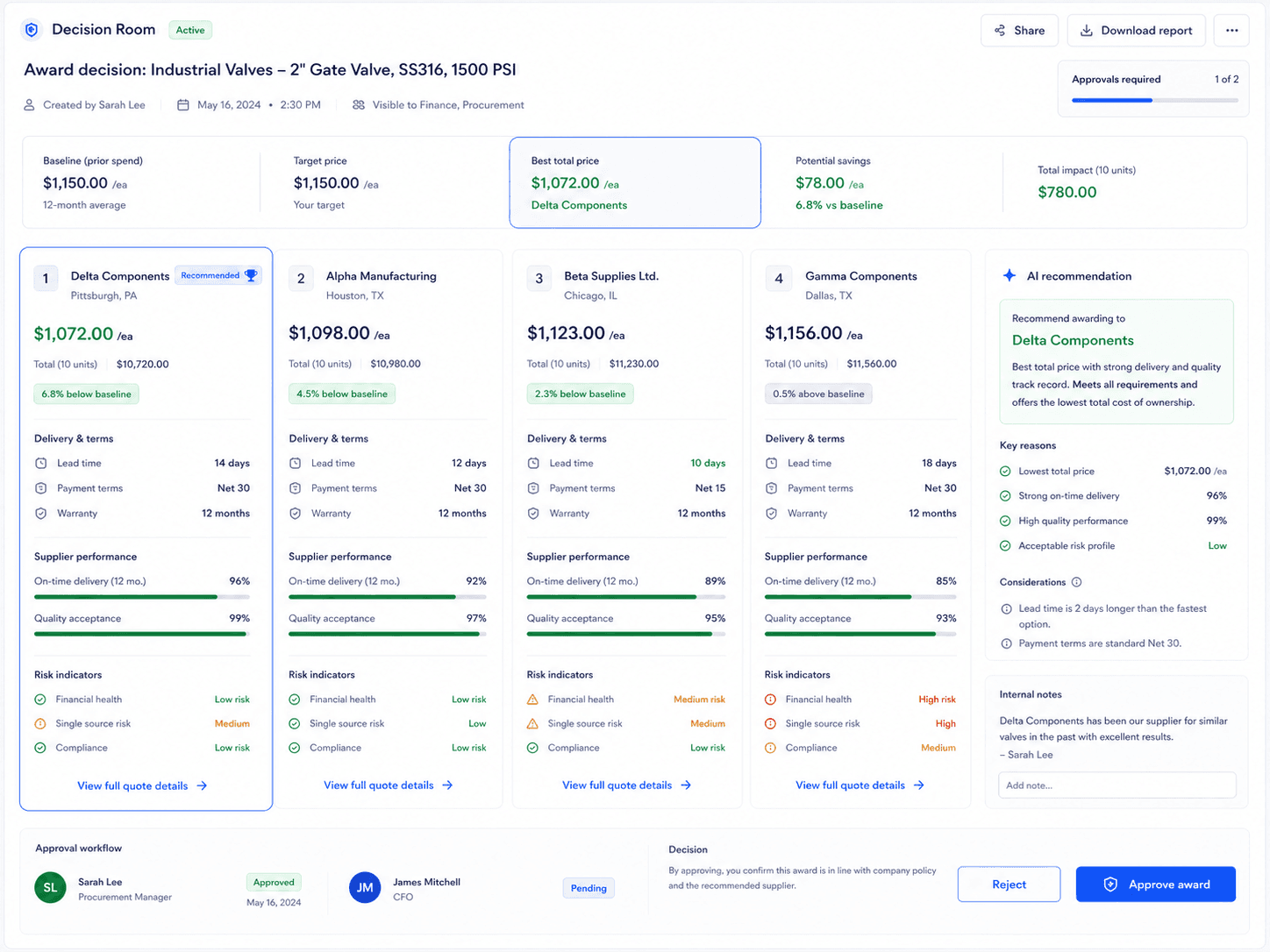
Decision Rooms
When an award needs sign-off, share a clean link. Your approver sees a side-by-side comparison, the AI rationale, savings versus baseline, and supplier risk indicators. They approve from the page or from email. No account, no login.
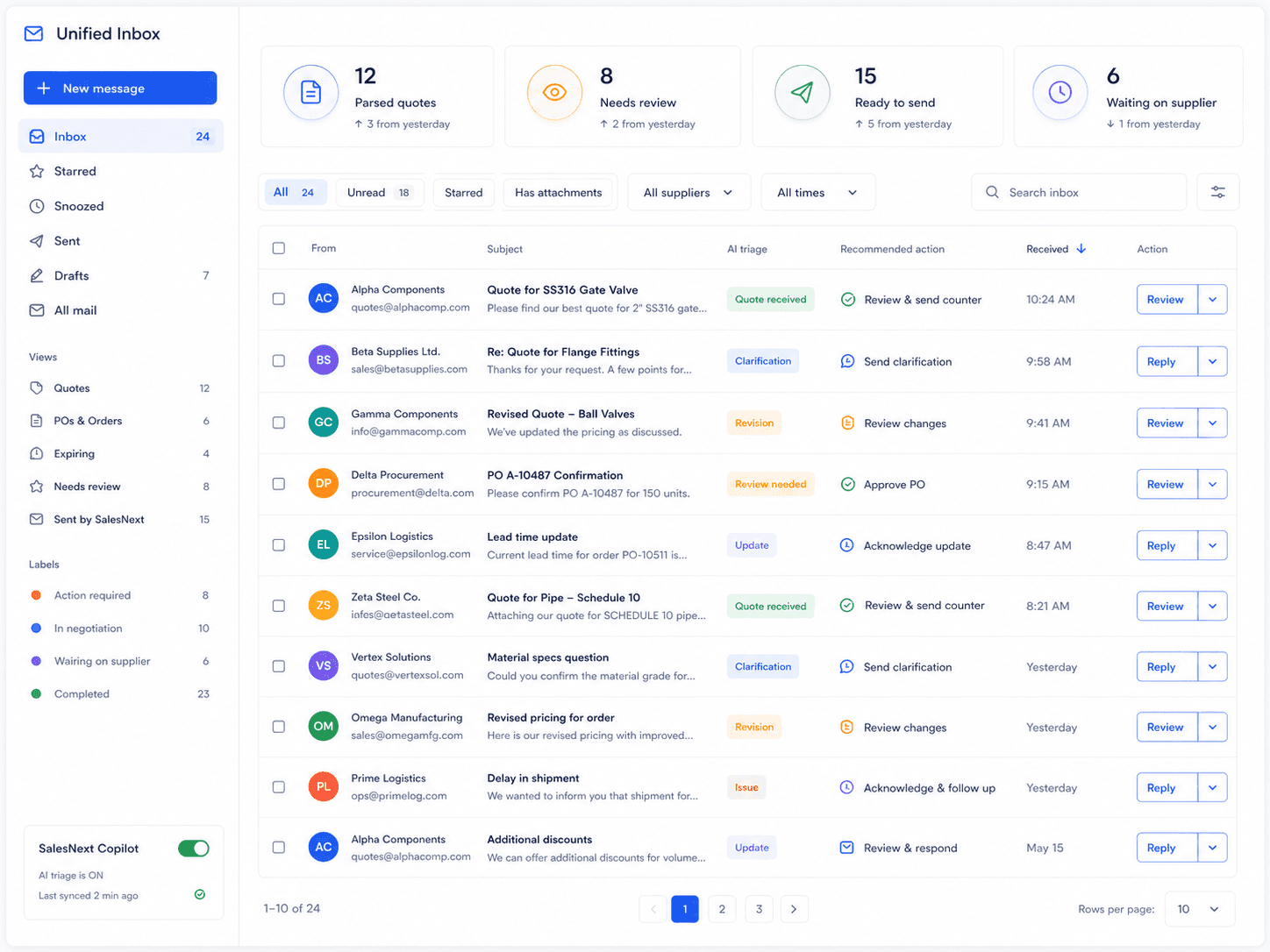
Unified Inbox
Your morning triage becomes a control tower. Every supplier email is color-tagged by intent — parsed quote, clarification, revision, low-confidence review — with a recommended action and a one-click reply. The pile becomes a pipeline.
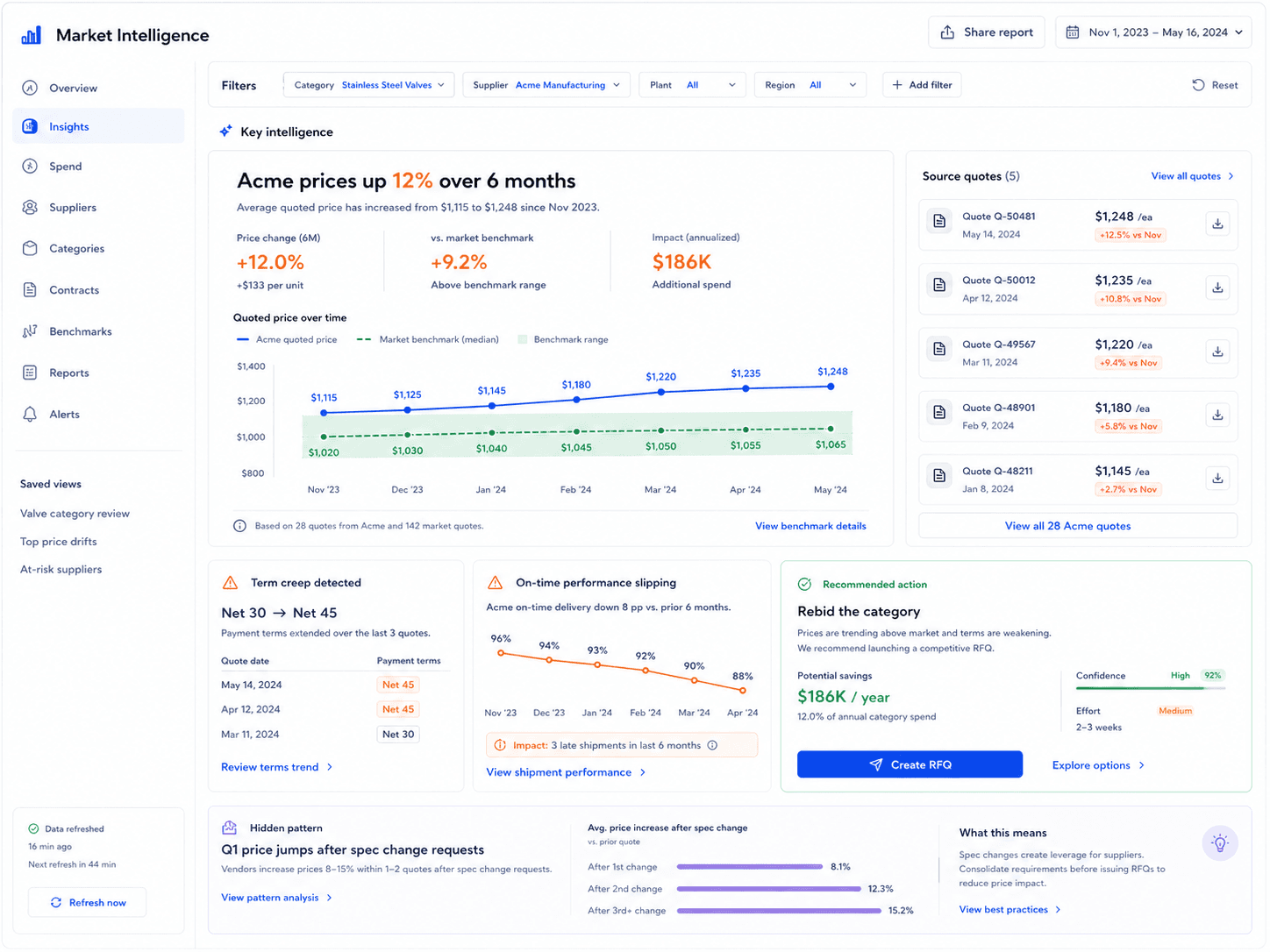
Market Intelligence
SalesNext surfaces the patterns your inbox was hiding. Suppliers raising prices quietly. Categories where you're paying above market. On-time records that no longer match the contract. Every insight comes with the receipts.
What changes when SalesNext is on
10 min
Time to first parsed quote
From OAuth connect to a searchable history of supplier emails.
60–80%
Cycle time reclaimed
Hours per RFQ, measured against the email-and-spreadsheet baseline.
5–12%
Negotiated savings unlock
Bid leveling plus AI counters on routine categories.
100%
Audit coverage
Every AI action and supplier interaction is logged and reversible.
The compounding moat
SalesNext is not a workflow tool you bolt onto procurement. It is a memory layer that turns every supplier interaction into structured, queryable, learnable data — and the longer you use it, the harder it is to imagine working without.
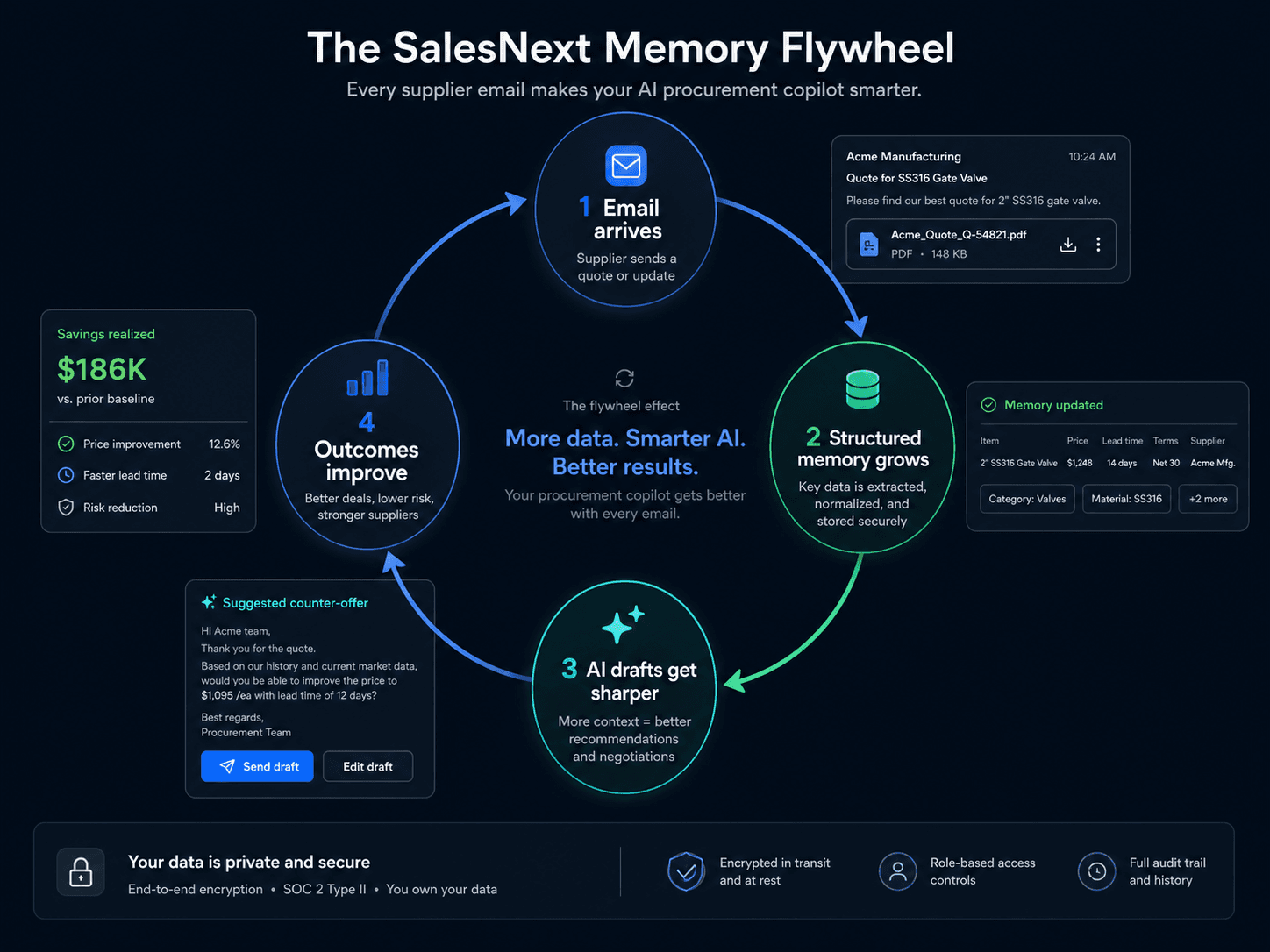
Quotes, revisions, terms, signatures, sentiment, intent — every supplier message becomes a row in your private memory.
Each suggested counter-offer references this supplier's history, your team's negotiation style, and market context — not a generic template.
Better counters mean better awards. Cycle time falls. Savings rise. The outcomes feed back into the memory.
Month one, the Copilot is helpful. Year one, it is irreplaceable. The data you have built cannot be exported back into your inbox.
Your data, your memory
Memory is per-customer and encrypted at rest. Optional anonymized benchmarks improve everyone’s pricing intelligence — only with your explicit opt-in, and never with identifying detail.
Where SalesNext fits
A side-by-side of how the same job gets done in each kind of system.
| Capability | Email + Excel Your status quo | Legacy enterprise suites 6-month rollouts, six-figure contracts | Autonomous bot platforms Replaces the buyer; enterprise-only | SalesNext The Copilot in your inbox |
|---|---|---|---|---|
| Works inside the buyer’s existing inbox | ||||
| Setup measured in minutes, not quarters | ||||
| Parses supplier email and PDFs automatically | ||||
| Searchable memory across years of supplier history | ||||
| Drafts counter-offers in the buyer’s voice Other AI tools replace the buyer with a bot. We amplify them. | ||||
| Autopilot bounded by buyer-set policies | ||||
| Approval flow that does not require an account | ||||
| Built for mid-market industrial budgets | ||||
| Suppliers do not need to change anything |
Trust & control
The Copilot reads your inbox. We treat that with the seriousness it deserves.
Autopilot only runs inside the bounds you set. Every AI-sent message is policy-checked, recorded, and reversible.
Customer data is encrypted at rest with isolated keys. No cross-customer data flow without explicit opt-in to anonymized benchmarks.
Type II audit underway. Signed DPA, BAA on Enterprise, and a security review pack ready on request.
Connect Gmail or Microsoft 365 with scoped, revocable permissions. You decide which labels and folders are in scope.
Every parse, draft, counter, award, and approval lands in an append-only log. Exportable for compliance.
Every AI suggestion shows its work — what data it used, how it reasoned, what was sent. No silent edits, ever.
What is in the box
A complete platform — not a Chrome extension bolted onto your existing chaos.
Connect with OAuth. A sidebar lives inside the inbox your team already uses. No new tab to remember.
Every supplier thread, quote, revision, and award becomes searchable structured data within minutes.
Type a sentence. SalesNext drafts the RFQ, picks suppliers from your history, and personalizes every email.
Set bounds and walk away. SalesNext counters round-by-round in your voice, inside the policies you set.
Share a clean, login-free approval link. Approvers see context, sign off, and SalesNext records it.
Proactive alerts on price drift, on-time slippage, and category outliers — with the receipts attached.
Every AI action is policy-checked, logged, and reversible. Built for the procurement leader who answers to legal.
Push events to your ERP, BI, or finance stack. Pull supplier scorecards and award history into anything you run.
Quotes in English, Spanish, German, French, Hindi, Mandarin, and more — parsed with the same fidelity.
ROI
Most teams pay back SalesNext in under two months. Enter your inputs to see yours.
Fill in what you know. The math updates live. The assumptions are auditable.
About your team
Implies $12,000,000 flowing through RFQs per year.
Assumptions (adjustable)
Typical baseline is 28–32 hrs; SalesNext teams report 8–14.
From bid-leveling and AI-drafted counters. Conservative range 3–7%.
Net annual benefit
$822,060
Total benefit minus the cost of SalesNext seats. Year one.
3,600
< 1 month
18.1×
Annual breakdown
Labor reclaimed
3,600 hours · $75/hr loaded
Negotiation savings
5.0% of $12,000,000 negotiated spend
SalesNext Pro
5 seats × $799/mo × 12
Labor saved = RFQs per year × hours saved per RFQ × loaded hourly rate.
Negotiation savings = RFQs per year × avg spend per RFQ × extra negotiation savings %.
SalesNext cost = team size × Pro seat price ($799/mo) × 12 months. The Performance plan can lower the upfront cost in exchange for a share of documented savings.
Benefits typically grow over time as the memory layer compounds. This view shows a single twelve-month window only.
FAQ
Need a different answer? Tell us in the request form — every response is read by the founders.
Request a private walkthrough tailored to your category, supplier mix, and current tooling. We respond within one business day.
No card. No commitment.